Tapo P125M: plan a three-plug setup and its limits
Assign three locations, verify each load, and choose the Tapo or Matter control path before setup.
As an Amazon Associate I earn from qualifying purchases. How our shopping links work.
The short answer
The U.S. P125M three-pack provides three separate on/off controls. Check load class, 2.4 GHz Wi-Fi, controller requirements, and which app holds each schedule.
This is a researched analysis based on published specifications and care guidance. We have not physically tested this product.
Give each plug a job before opening the box
This researched review covers the U.S. Tapo P125M three-pack. It uses TP-Link's product specifications, store pack description, and Matter setup guidance. We have not tested connection reliability, physical clearance, or response time.
A three-pack is useful when you have three suitable loads at separate locations. In a hypothetical apartment, those might be a reading lamp, a desk lamp, and a decorative light. The useful plan assigns each plug a location, a name, and a deliberate control method. You can leave one unused if the third location has no clear purpose.
Check the selected package carefully. TP-Link's U.S. store identifies a P125M three-pack containing three mini plugs and a quick-start guide. The technical specifications for one P125M apply to each unit. Multiplying the pack count does not change a plug's rating or the capacity of a household circuit.
Check the U.S. load specification
The P125M's published U.S. rating is 100-125 V, 50/60 Hz. Its maximum is 15 A, 1800 W at 120 V for general-use or resistive loads, with a separate 1/6 HP motor limit. Read those categories together with the instructions for the connected device.
A simple on/off plug supplies or interrupts power. It does not operate a device's electronic controls for you. If a lamp needs its own button pressed after power returns, a scheduled plug command may not produce the lighting behavior you expected. Check that behavior with the lamp's instructions and an appropriate manual test.
Do not use the wattage number as blanket approval for heaters, motor loads, or unattended appliance operation. A device can fall below a numerical maximum and still have instructions that rule out the proposed use. The P125M also provides no documented basis here for claims of dimming, surge protection, or energy-use measurement.
Measure the outlet with both plugs in place
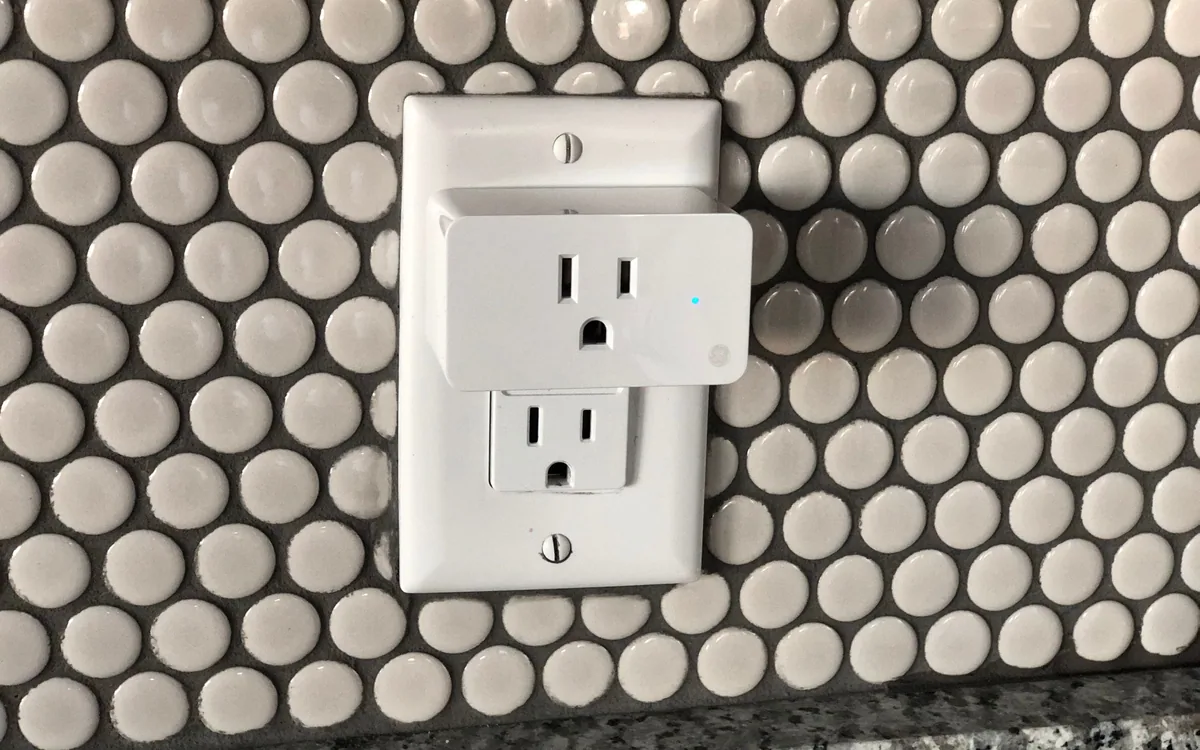
TP-Link lists dimensions of 2.4 by 1.5 by 1.3 inches. The compact body is intended to leave the neighboring receptacle available. Actual clearance still depends on your wall plate, the other plug, and nearby furniture.
Look at the space a few inches beyond the receptacle. A chair back, baseboard, or large adapter may interfere even when the P125M itself fits. Leave access to its physical power button. If reaching it requires moving a heavy cabinet, the manual fallback is inconvenient.
Scroll to compare
| Location in the example | Check before installation |
|---|---|
| Reading corner | Lamp switch behavior and access behind the chair |
| Desk | Clearance beside other adapters and a useful physical-button position |
| Decorative light | Suitable load and a schedule everyone in the room understands |
Use the single-plug versus smart-strip comparison if all three loads sit together. Several separate plugs are not automatically the most convenient arrangement at one crowded receptacle.
Choose one setup path first
P125M uses 2.4 GHz Wi-Fi. Bluetooth is for setup, according to the U.S. specifications. It is not an alternative everyday remote-control connection when Wi-Fi is absent.
TP-Link recommends initial setup through the Tapo or Kasa app for access to the device's features. A supported Matter platform offers another setup path. Decide which app will hold the schedules and which household member will manage access before pairing all three plugs.
The broad phrase "no hub required" needs context. The plug can connect directly to Wi-Fi, while most third-party Matter platforms still require a compatible Matter controller. TP-Link's guidance describes an iOS 18-or-later Apple Home exception that allows direct setup without a hub, but remote control, shared control, and Apple Home automations require the hub. Verify the current requirements of your chosen platform.
Keep local control and remote access separate
The manufacturer describes Matter LAN control when the internet is unavailable. That depends on the local network and the relevant controller remaining available. It does not promise that every voice command, remote app feature, or cloud automation survives an outage.
A local button is another control path. Before relying on a schedule, check the manual's explanation of behavior after a power interruption and try the controls you expect another person to use. Keep the Wi-Fi name and device names consistent enough to recognize later.
Matter multi-admin can share a device across compatible platforms. Adding the same lamp to multiple apps also creates more places where a schedule may exist. If the lamp turns on unexpectedly, reviewing one app may miss a rule in another. Record where you created each automation.
Configure and label the plugs one at a time
Place the first plug at its intended outlet and follow the current setup guide. Name it for the load, confirm manual switching, then add a single schedule if needed. Repeat for the next location only after you know which physical unit you have configured.
Keep the Matter setup code accessible. TP-Link states that removing a Matter device from the Tapo or Kasa app triggers a factory reset, which also makes it unresponsive in other connected apps. Removing it from one third-party platform is a different action. Read the relevant procedure before reorganizing accounts.
P125M is a reasonable candidate for separate, suitable on/off loads when its network and platform requirements match your home. Before committing the three locations, check the device's support policy and confirm the exact U.S. three-pack on the store page. Its useful feature is controlled switching at each location; select another model if you need documented energy monitoring or dimming.
We may earn a commission from qualifying purchases.
Find the U.S. Tapo P125M three-pack on AmazonOpens Amazon.com. Check the exact model, seller, and current terms before ordering.
A useful next read.
Keep the whole purchase in view.
Smart plug or smart power strip: plan what each outlet controls
Map individual outlets, always-on equipment, and shared load limits before adding app controls.
Compare the options
Check UL or ETL listing details for the exact product
Trace the mark, model designation, and certification scope instead of relying on a logo in a listing.
Read the guide
Find the update policy before buying a connected device
Check when security support starts, what its minimum date covers, and which functions depend on online services.
Read the guide